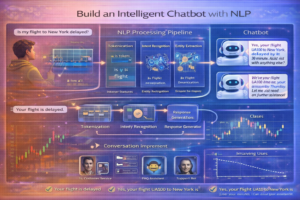
Hands-On Project: Build an Intelligent Chatbot with NLP
Difficulty Level: Intermediate | Duration: 4-6 hours | Topics: Natural Language Processing, Deep Learning, Sequence Models
Related Learning Paths
Learning Objectives
- Understand text preprocessing and tokenization
- Build sequence-to-sequence (seq2seq) models
- Implement intent recognition and entity extraction
- Create context-aware chatbot responses
- Train and evaluate chatbot performance
Prerequisites
- Python 3.8+
- Understanding of neural networks
- Familiarity with text processing libraries
- TensorFlow/Keras knowledge
Step 1: Setup & Data Preparation
1.1 Install Requirements
pip install tensorflow keras numpy nltk scikit-learn pandas json
python -m nltk.downloader punkt wordnet averaged_perceptron_tagger
1.2 Create Training Data
import json
import random
import numpy as np
from nltk.stem import WordNetLemmatizer

# Create intents data
intents = {
    "intents": [
        {
            "tag": "greeting",
            "patterns": ["Hi", "Hello", "Hey", "Good morning", "Good afternoon"],
            "responses": ["Hello! How can I help you?", "Hi there! What can I do for you?", "Greetings! How can I assist?"]
        },
        {
            "tag": "goodbye",
            "patterns": ["Bye", "See you", "Goodbye", "Take care", "See you later"],
            "responses": ["Goodbye! Have a great day!", "See you later!", "Bye! Come back soon!"]
        },
        {
            "tag": "thanks",
            "patterns": ["Thanks", "Thank you", "Appreciate it", "Thanks a lot"],
            "responses": ["You're welcome!", "Happy to help!", "Glad I could assist!"]
        },
        {
            "tag": "help",
            "patterns": ["Help me", "I need help", "Can you help?", "Assistance please"],
            "responses": ["I'm here to help! What do you need?", "Sure, what can I assist with?"]
        },
        {
            "tag": "name",
            "patterns": ["What's your name?", "Who are you?", "What should I call you?"],
            "responses": ["I'm an AI Chatbot!", "You can call me ChatBot!"]
        }
    ]
}

# Save intents to file
with open('intents.json', 'w') as f:
    json.dump(intents, f, indent=4)

print("Training data created!")
Step 2: Text Preprocessing
2.1 Process & Tokenize Text
import nltk
from nltk.tokenize import word_tokenize
from nltk.corpus import stopwords

# Load data
with open('intents.json') as file:
    intents = json.load(file)

lemmatizer = WordNetLemmatizer()

# Extract patterns and tags
patterns = []
tags = []
tag_list = []
words = set()

for intent in intents['intents']:
    for pattern in intent['patterns']:
        # Tokenize and lemmatize
        tokens = word_tokenize(pattern.lower())
        for token in tokens:
            lemma = lemmatizer.lemmatize(token)
            words.add(lemma)

        patterns.append(pattern.lower())
        tags.append(intent['tag'])

    if intent['tag'] not in tag_list:
        tag_list.append(intent['tag'])

words = sorted(list(words))
print(f"Total unique words: {len(words)}")
print(f"Total tags: {len(tag_list)}")
print(f"Sample words: {words[:20]}")
2.2 Create Training Data
# Create bag-of-words training data
training_data = []

for pattern, tag in zip(patterns, tags):
    bag = []

    # Tokenize and lemmatize pattern
    pattern_tokens = word_tokenize(pattern.lower())
    pattern_lemmas = [lemmatizer.lemmatize(token) for token in pattern_tokens]

    # Create bag of words
    for word in words:
        bag.append(1) if word in pattern_lemmas else bag.append(0)

    # Create one-hot encoded tag
    tag_vector = [0] * len(tag_list)
    tag_vector[tag_list.index(tag)] = 1

    training_data.append((bag, tag_vector))

# Shuffle training data
random.shuffle(training_data)

# Convert to numpy arrays
training_data = np.array(training_data, dtype=object)
X_train = np.array([item[0] for item in training_data])
y_train = np.array([item[1] for item in training_data])

print(f"Training data shape: {X_train.shape}")
print(f"Training labels shape: {y_train.shape}")
Step 3: Build & Train Model
3.1 Create Neural Network
from tensorflow.keras.models import Sequential
from tensorflow.keras.layers import Dense, Dropout

# Build model
model = Sequential([
    Dense(128, input_shape=(len(words),), activation='relu'),
    Dropout(0.5),
    Dense(64, activation='relu'),
    Dropout(0.5),
    Dense(len(tag_list), activation='softmax')
])

# Compile
model.compile(optimizer='adam', loss='categorical_crossentropy', metrics=['accuracy'])

print(model.summary())
3.2 Train the Model
# Train
history = model.fit(X_train, y_train, epochs=200, batch_size=8, verbose=1)

# Save model
model.save('chatbot_model.h5')
print("Model trained and saved!")
Step 4: Create Chatbot Functions
4.1 Intent Recognition
def get_response(user_input, model, words, tag_list, intents):
    """
    Get chatbot response for user input
    """
    # Tokenize input
    tokens = word_tokenize(user_input.lower())
    lemmas = [lemmatizer.lemmatize(token) for token in tokens]

    # Create bag of words
    bag = []
    for word in words:
        bag.append(1) if word in lemmas else bag.append(0)

    # Predict intent
    prediction = model.predict(np.array([bag]))[0]
    predicted_tag_idx = np.argmax(prediction)
    confidence = prediction[predicted_tag_idx]

    # Get responses for predicted tag
    predicted_tag = tag_list[predicted_tag_idx]

    # Find intent and get random response
    for intent in intents['intents']:
        if intent['tag'] == predicted_tag:
            responses = intent['responses']
            return random.choice(responses), confidence, predicted_tag

    return "I'm not sure I understand. Can you rephrase?", confidence, predicted_tag
4.2 Interactive Chatbot
def chatbot():
    """
    Main chatbot function
    """
    print("ChatBot: Hello! I'm your AI assistant. Type 'quit' to exit.")

    # Load model
    model = keras.models.load_model('chatbot_model.h5')

    while True:
        user_input = input("You: ")

        if user_input.lower() == 'quit':
            print("ChatBot: Goodbye!")
            break

        response, confidence, tag = get_response(user_input, model, words, tag_list, intents)

        print(f"ChatBot: {response}")
        print(f"(Intent: {tag}, Confidence: {confidence:.2f})n")

# Start chatbot
# chatbot()
Step 5: Advanced Features
5.1 Context Management
class ContextAwareChatBot:
    def __init__(self, model, words, tag_list, intents):
        self.model = model
        self.words = words
        self.tag_list = tag_list
        self.intents = intents
        self.conversation_history = []
        self.user_context = {}

    def get_response(self, user_input):
        # Store in history
        self.conversation_history.append(user_input)

        # Tokenize
        tokens = word_tokenize(user_input.lower())
        lemmas = [lemmatizer.lemmatize(token) for token in tokens]

        # Create bag of words
        bag = [1 if word in lemmas else 0 for word in self.words]

        # Predict
        prediction = self.model.predict(np.array([bag]))[0]
        predicted_tag_idx = np.argmax(prediction)
        confidence = prediction[predicted_tag_idx]
        predicted_tag = self.tag_list[predicted_tag_idx]

        # Get response
        for intent in self.intents['intents']:
            if intent['tag'] == predicted_tag:
                response = random.choice(intent['responses'])

                # Store context
                self.user_context['last_tag'] = predicted_tag
                self.user_context['last_confidence'] = confidence

                return response, confidence, predicted_tag

        return "I'm not sure how to respond.", confidence, predicted_tag
Step 6: Evaluation & Testing
6.1 Test Various Inputs
# Test cases
test_inputs = [
    "Hello there!",
    "Goodbye!",
    "Thank you so much",
    "Can you help me?",
    "What's your name?",
    "How are you?",
    "See you later"
]

print("Testing Chatbot Responses:")
print("=" * 50)

for test_input in test_inputs:
    response, conf, tag = get_response(test_input, model, words, tag_list, intents)
    print(f"User: {test_input}")
    print(f"Bot: {response}")
    print(f"Intent: {tag} (Conf: {conf:.2f})n")
Step 7: Deployment
7.1 Save Complete Chatbot
import pickle

# Save components
model.save('chatbot_model.h5')

with open('chatbot_words.pkl', 'wb') as f:
    pickle.dump(words, f)

with open('chatbot_tags.pkl', 'wb') as f:
    pickle.dump(tag_list, f)

with open('chatbot_intents.json', 'w') as f:
    json.dump(intents, f)

print("Chatbot components saved!")
7.2 Load & Run Saved Chatbot
# Load all components
import pickle
from tensorflow import keras

loaded_model = keras.models.load_model('chatbot_model.h5')

with open('chatbot_words.pkl', 'rb') as f:
    loaded_words = pickle.load(f)

with open('chatbot_tags.pkl', 'rb') as f:
    loaded_tags = pickle.load(f)

with open('chatbot_intents.json', 'r') as f:
    loaded_intents = json.load(f)

# Use loaded chatbot
response, conf, tag = get_response("Hello!", loaded_model, loaded_words, loaded_tags, loaded_intents)
print(f"Response: {response}")
Resources
Continue Learning: Related Articles
Machine Learning with Python: Complete Beginner's Guide
Python has emerged as the undisputed leader for machine learning development, offering an ecosystem of powerful librarie…
📖 10 min read
Linear Algebra Basics for AI/ML
Linear Algebra Basics for AI/ML
Difficulty: Beginner | Time: 45-60 minutes | Key Concepts: Vectors, Matrices, Operations…
📖 4 min read
How to Start an AI Automation Agency: Complete Step-by-Step Guide
Introduction to AI Automation Agency Business Model
The AI automation agency business model has emerged as one of the m…
📖 9 min read
Learning Path: Deep Learning Progression
Learning Path: Deep Learning Progression
Duration: 10-12 weeks | Weekly Commitment: 20-25 hours | Prerequisites: Python …
📖 3 min read
💡 Explore 80+ AI implementation guides on Harshith.org
