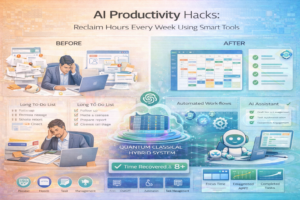
Introduction: How AI Can Reclaim Your Time
Knowledge workers report feeling more stressed and busy than ever despite technological advances promising to simplify our lives. Paradoxically, while email was supposed to improve communication, it created an avalanche of messages demanding attention. While project management tools promised better organization, they added another platform requiring constant updates. The solution isn’t more tools—it’s using AI intelligently to automate the tedious, repetitive tasks consuming the hours you’d prefer spending on meaningful work.
This guide explores practical, immediately implementable AI productivity hacks that genuinely save time and mental energy. These aren’t theoretical concepts or complex implementations—they’re accessible tools and techniques you can integrate into your workflow today. By applying these strategies, you can reclaim hours weekly, reducing stress while increasing output quality and consistency.
Understanding the Productivity Paradox
Why We’re Busier Despite Technology
Technology promised to make our lives easier, yet we work longer hours than previous generations. Research suggests the average knowledge worker spends 28% of their workday just managing email. Add other administrative tasks—meeting scheduling, document formatting, status reporting—and you easily spend 40% of work hours on tasks you’d prefer to automate.
The problem isn’t technology; it’s technology without intelligent automation. We’ve added tools without removing the manual tasks these tools were supposed to eliminate. AI offers the missing piece: automated intelligence that handles routine tasks, freeing you for what truly matters.
The High-Impact Priority Matrix
Not all tasks deserve AI automation equally. Before automating anything, assess impact:
– **High-impact, recurring tasks** are perfect for AI automation. Daily email filtering might save an hour weekly. Automated meeting scheduling might save three hours weekly. Done right, these add up to substantial time savings.
– **High-impact, one-time tasks** don’t benefit from automation infrastructure. Building a one-time report doesn’t justify complex automation, though AI tools can still accelerate the process.
– **Low-impact tasks** deserve minimal attention, whether or not they’re automated. Perfectly formatting documents matters less than content quality.
Focus AI automation on high-impact, recurring tasks. These deliver compound returns, saving exponentially more time as they repeat.
Email and Communication Productivity Hacks
AI-Powered Email Filtering and Organization
Email consumes enormous amounts of time and attention. Gmail’s Smart Compose and Smart Reply, built directly into your email, suggest completions as you type and offer reply suggestions. These simple features reduce time per email by 30-60%, compounding across hundreds of emails weekly.
**Implementation:** Enable these features in Gmail settings under “Smart Compose” and “Smart Reply.” Start typing emails and watch suggestions appear. It feels natural once you’ve used it a few times.
**Time saved:** 30-60 minutes weekly
SaneBox and similar services use AI to filter emails intelligently. Rather than manually managing folders, these tools learn your priorities and automatically organize emails. Important emails stay in your inbox while unimportant ones move to a separate folder. As the tool learns, accuracy improves.
**Implementation:** Install SaneBox ($7/month), connect your email, and let it learn for a week. Mark emails as “important” or “not important” as it learns your preferences. After two weeks, your inbox will be dramatically cleaner.
**Time saved:** 90-120 minutes weekly
Meeting Management Automation
Scheduling meetings ranks among the most frustrating productivity killers. Coordinating availability across calendars, checking time zones, and following up with confirmations wastes enormous time. Calendly solves this with an AI assistant handling scheduling automatically.
**Implementation:** Sign up for Calendly ($8/month), connect your calendar, set your availability, and share your booking link. When people need to meet, they select available times automatically. Calendly handles the rest, including calendar invites, reminders, and time zone conversion.
**Time saved:** 120-180 minutes weekly
x.ai’s Amy is an AI scheduling assistant you add to emails. Reply-all with Amy on threads, and she handles scheduling automatically through email. This feels more personal than sending booking links while automating the entire coordination process.
**Implementation:** Add Amy to relevant email threads. She’ll handle finding mutual availability, sending calendar invites, and even managing rescheduling when necessary.
**Time saved:** 150-200 minutes weekly
Email Template Libraries and Smart Replies
Knowledge workers typically send similar emails repeatedly—meeting notes, client follow-ups, project status updates, rejection emails. Rather than retyping these, use email templates with AI-powered suggestions.
**Implementation:** In Gmail, go to Settings → Advanced → Templates. Compose standard emails you send repeatedly (meeting notes, status updates, client follow-ups). Save them as templates. When needed, select the template and customize minor details.
Combine templates with ChatGPT or similar tools. Paste your email draft into ChatGPT asking it to “make this more professional” or “make this friendlier” or “shorten this by 50%.” The AI rewrites your email in seconds, and you can adapt it to your needs.
**Time saved:** 60-90 minutes weekly
Content Creation and Writing Productivity
Overcoming Blank Page Syndrome with AI
Many people waste hours staring at blank pages before writing. Writing “I don’t know where to start” causes more productivity loss than anything else. AI writing assistants solve this by generating starting points and ideas instantly.
**Implementation:** When facing a blank page, open ChatGPT and ask “Create an outline for [topic].” Get a structured outline in seconds. This transforms blank-page paralysis into a simple editing task—rearranging an outline requires far less mental effort than creating one from scratch.
Example: “Create an outline for a blog post about remote work productivity hacks.” ChatGPT instantly generates 8-10 main sections with subsections. You now have structure, eliminating the biggest barrier to writing.
**Time saved:** 30-45 minutes per 1500-word article
Draft Generation and Expansion
Expanding outlines into full articles is tedious. AI can generate initial drafts that you refine, a far faster process than writing from scratch.
**Implementation:** Use tools like Jasper AI, Copy.ai, or even ChatGPT for draft generation. Feed it your outline and a rough paragraph of tone-setting, and request “Expand section 2 into 300 words.” The AI generates a draft. Review, edit, adjust tone, and integrate with human-written sections. This hybrid human-AI approach produces better content faster than either alone.
For structured content (how-tos, guides, analyses), AI draft generation shines. For deeply personal or opinion-driven content, AI helps less but can still assist with initial drafting.
**Time saved:** 40-60 minutes per 1500-word article
Editing and Refinement Assistance
After writing, refinement and editing consume substantial time. AI editing assistants accelerate this process dramatically.
**Implementation:** Paste your draft into ChatGPT with requests like:
– “Edit this for grammar and style without changing meaning”
– “Make this more concise—reduce word count by 25%”
– “Make this more professional in tone”
– “Simplify the language for a general audience”
Grammarly AI also integrates directly into your writing, offering real-time suggestions for grammar, clarity, and tone. As you write, suggestions appear automatically, enabling course correction immediately rather than in post-writing edits.
**Time saved:** 20-40 minutes per 1500-word article
Research and Information Synthesis
Rapid Research Using AI Assistants
Research consumes enormous time for many professionals. Finding relevant information, synthesizing sources, and drawing conclusions can occupy hours. AI research assistants accelerate this dramatically.
**Implementation:** Use ChatGPT to summarize complex topics quickly. Ask “Explain [technical concept] in simple terms,” and get an accessible explanation. Ask “What are the main arguments for and against [position]?” and get balanced coverage. Use Elicit (an AI research assistant) to find academic papers on topics and get summaries.
These tools don’t replace deep research but dramatically accelerate it, helping you understand topics faster and identify which areas deserve deeper investigation.
**Time saved:** 60-90 minutes per research project
Document Summarization
Long documents—reports, research papers, meeting transcripts—require time to digest. AI summarization tools create abstracts automatically.
**Implementation:** Use tools like Notion AI (if you use Notion) to summarize documents: “Summarize this document in 200 words.” Or use ChatGPT by pasting the document and requesting a summary.
For meeting transcripts, tools like Fireflies or Otter.ai automatically transcribe meetings and create summaries and action items. Rather than manually reviewing entire transcripts, you get summaries highlighting key points.
**Time saved:** 45-60 minutes per document
Task Management and Project Organization
Intelligent Task Prioritization
Deciding what to focus on each day is cognitively expensive. Tools like Monday.com and Asana now incorporate AI for intelligent task prioritization based on deadlines, dependencies, and importance.
**Implementation:** When adding tasks to project management tools, let AI suggest priorities. These tools consider due dates, task dependencies, and historical completion patterns to recommend what deserves immediate focus.
While not perfect, AI recommendations remove the cognitive burden of prioritization and often make better decisions than manual priority assignment.
**Time saved:** 15-30 minutes daily
Automated Status Reporting
Status reports are necessary but tedious, requiring manual compilation of accomplishments, blockers, and plans. AI tools now automate this partially.
**Implementation:** Tools like Lattice and 15Five use AI to compile status reports from project management systems, time tracking tools, and calendar data. Rather than writing reports manually, you review AI-generated summaries, editing only where necessary.
This transforms status reporting from 30-45 minutes weekly to 10-15 minutes.
**Time saved:** 60-90 minutes weekly
Data Analysis and Business Intelligence Shortcuts
Rapid Data Exploration with AI
Analyzing data traditionally requires coding or using complex tools. Natural language data query tools now let you ask questions in English, receiving answers automatically.
**Implementation:** Use tools like Tableau’s Ask Data or natural language SQL interfaces. Ask “What was our revenue trend last quarter?” and the tool queries databases, returning results instantly. This eliminates technical barriers to data analysis, enabling non-technical people to extract insights independently.
**Time saved:** 60-120 minutes per analysis
Automated Insight Generation
Beyond answering specific questions, some tools now generate insights automatically. They identify trends, anomalies, and patterns that might interest you.
**Implementation:** Tools like Mode and Looker incorporate AI that surfaces interesting findings from your data automatically. Rather than you searching for insights, the system flags potentially important patterns.
**Time saved:** 120-180 minutes weekly
Learning and Professional Development
Personalized Learning Paths
Figuring out what to learn and where to start is difficult. AI learning assistants create personalized learning paths based on your goals and background.
**Implementation:** Platforms like LinkedIn Learning now suggest courses based on your role and goals. Coursera’s AI matching systems recommend specializations matching your interests. Rather than evaluating hundreds of options, you get curated recommendations.
**Time saved:** 90-120 minutes identifying what to learn
Spaced Repetition and Study Optimization
If you’re learning new material (languages, technical skills), spaced repetition—reviewing material at optimal intervals—improves retention dramatically. AI tools like Anki use algorithms determining when you should next review each concept.
**Implementation:** Use AI-powered flashcard systems like Anki that calculate optimal review intervals. Rather than guessing when to review material, algorithms determine perfect timing for retention.
**Time saved:** 30-60 minutes weekly through more efficient studying
Writing Code and Technical Tasks
Intelligent Code Generation
GitHub Copilot and similar tools use AI to suggest code completions and generate boilerplate. For experienced developers, these tools are like having an expert pair programmer.
**Implementation:** Install GitHub Copilot ($10/month for individuals). As you write code, Copilot suggests completions and entire functions. Accept suggestions when appropriate, editing when necessary. This accelerates development dramatically, particularly for repetitive code.
Even for complex tasks, Copilot handles the boring parts while you focus on logic and architecture.
**Time saved:** 60-90 minutes daily for developers
Automated Documentation Generation
Documenting code is tedious but essential. AI tools now generate documentation automatically from code.
**Implementation:** Tools like GitHub Copilot Labs automatically generate docstrings and comments. While quality varies, AI-generated documentation provides a starting point requiring minimal revision.
**Time saved:** 30-60 minutes per project
Everyday Application Tricks
Smart Compose Across Platforms
Google Docs Smart Compose suggests sentence completions as you type, similar to Gmail. Many office productivity suites now include similar features.
**Implementation:** Use Smart Compose in Google Docs, which suggests text as you write. For documents where writing speed matters (meeting notes, quick emails), these suggestions accelerate drafting.
**Time saved:** 20-40 minutes per writing session
Voice Dictation for Hands-Free Work
Modern voice dictation (Google Docs Voice Typing, Otter.ai) understands context and formats speech accurately. For people who type slowly or prefer speaking, voice dictation is transformative.
**Implementation:** In Google Docs, use Voice Typing (Tools → Voice Typing). Speak naturally; the system transcribes with good accuracy, including punctuation and formatting.
**Time saved:** 60-90 minutes daily for people who speak faster than they type
Implementation Strategy: The Gradual Approach
Rather than implementing everything simultaneously, use a staged approach:
Week 1: Email and Communication
Implement Gmail Smart Compose/Reply and Calendly. These are easiest to adopt and provide immediate value. Get comfortable with one communication tool before adding others.
Week 2: Content Creation
If you write regularly, integrate ChatGPT for outline generation and draft refinement. If not, skip this week.
Week 3: Task and Project Management
Add AI task prioritization in your existing project management tool. Most tools offer these features as built-in options.
Week 4: Specialized Tools
Based on your role, add specialized tools. Developers might add Copilot. Analysts might add data query tools. Sales professionals might add CRM automation.
Ongoing: Continuous Optimization
Each month, evaluate what’s working and what isn’t. Keep tools delivering genuine value. Remove those that don’t. Continuously refine your AI productivity stack based on actual results.
Potential Pitfalls and How to Avoid Them
Tool Overload
It’s tempting to adopt every productivity tool. However, each tool adds cognitive overhead and maintenance burden. Adopt tools solving genuine pain points, not ones solving theoretical problems.
**Mitigation:** Before adding a tool, identify a specific problem it solves and estimate time savings. If time savings seem modest, skip it. Focus on the highest-impact tools.
Over-Relying on AI Suggestions
AI suggestions are helpful but imperfect. Blindly accepting all suggestions can reduce quality. AI works best when you review and refine its outputs.
**Mitigation:** Treat AI as a collaborator, not a replacement. Always review AI outputs critically before accepting. Edit and refine as needed.
Privacy and Security Concerns
Some AI tools process sensitive information (emails, documents, code). Ensure you’re comfortable with each tool’s privacy policies before using it with sensitive data.
**Mitigation:** Review privacy policies carefully. Don’t use consumer-grade tools for highly sensitive work. Consider enterprise versions of tools offering additional privacy protections.
Measuring Impact and ROI
To evaluate whether AI productivity tools are truly helping, measure results:
**Before implementation:** Track time spent on key tasks. How many hours do you spend on email weekly? How long do typical writing projects take? Document baseline metrics.
**After implementation:** Remeasure the same metrics. Did implementing Calendly reduce scheduling time? Did Smart Compose accelerate email writing? Document improvements.
**Adjust accordingly:** If tools aren’t delivering promised savings, discontinue them. If some are transformative, consider expanding their use.
The Future of AI Productivity
Current AI productivity tools are just the beginning. As AI improves, expect:
– **Integrated AI assistants** available across all applications
– **Predictive automation** anticipating your needs before you articulate them
– **Context-aware assistance** understanding your work and suggesting optimizations
– **Natural interface** where you work normally while AI quietly assists
By adopting AI productivity tools today, you’re positioning yourself to benefit from this evolution. Your workflows will adapt smoothly as capabilities improve, rather than struggling to catch up with sudden technological changes.
Conclusion: Reclaiming Your Time Starting Today
AI productivity hacks aren’t futuristic concepts—they’re available right now, and they genuinely work. By implementing even a handful of these strategies, you can reclaim 5-10 hours weekly. Compound this across your career, and you’re recovering thousands of hours—time you can invest in meaningful work, learning, relationships, and wellbeing.
The key is starting small with highest-impact tools, integrating them gradually, and continuously optimizing your productivity stack. You don’t need to become an AI expert or adopt cutting-edge technology. Most productivity gains come from simple, well-established tools applied consistently.
Start this week. Choose one productivity pain point—email management, meeting scheduling, or writing—and implement one AI tool addressing it. Experience the benefit directly. Once you see results, expand to other areas. Before long, you’ll have reclaimed significant time and reduced stress through intelligent automation.
Your most valuable resource is time. By using AI wisely to automate tedious work, you reclaim time for what truly matters—meaningful projects, learning, and living well. That’s the real productivity hack.
Continue Learning: Related Articles
Generative AI for Creative Industries: Transforming Art, Music, and Design
The Creative Revolution: How Generative AI is Transforming Art, Music, and Design
Generative AI has emerged as one of t…
📖 10 min read
Text-to-Image Generation with AI: DALL-E, Midjourney, and Stable Diffusion Comparison for Creators and Businesses
Text-to-Image Generation with AI: DALL-E, Midjourney, and Stable Diffusion Comparison for Creators and Businesses
Meta …
📖 26 min read
Best AI Tools for Small Business Marketing: Complete ROI-Focused Guide
Introduction to AI-Powered Marketing for Small Businesses
Small businesses are experiencing a marketing revolution in 2…
📖 11 min read
AI Content Creation Tools for Bloggers: Comparison and ROI Analysis
Introduction to AI Content Creation for Bloggers
The content creation landscape has been transformed by artificial inte…
📖 13 min read
💡 Explore 80+ AI implementation guides on Harshith.org
