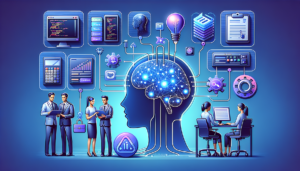
2026 is the year AI agents went mainstream. From coding assistants that autonomously fix bugs to customer service agents that resolve complex tickets end-to-end, agentic AI systems are transforming how we build software. This practical guide covers the architecture, tool-use patterns, and implementation strategies for building production-ready AI agents.
What Makes an AI Agent Different from a Chatbot?
A chatbot responds to messages. An agent takes actions. The key differences:
- Autonomy: Agents make decisions about what to do next without human input at each step
- Tool Use: Agents call external tools, APIs, and services to accomplish tasks
- Planning: Agents break down complex tasks into steps and execute them sequentially
- Memory: Agents maintain state across interactions and learn from outcomes
- Reflection: Advanced agents evaluate their own outputs and self-correct
Core Architecture: The ReAct Pattern
Most production agents follow the ReAct (Reasoning + Acting) pattern:
Loop:
  1. Observe: Receive input or tool result
  2. Think: Reason about what to do next
  3. Act: Call a tool or generate a response
  4. Repeat until task is complete
Implementation with Claude API
import anthropic

client = anthropic.Anthropic()

tools = [
    {
        "name": "search_database",
        "description": "Search the customer database by name or ID",
        "input_schema": {
            "type": "object",
            "properties": {
                "query": {"type": "string", "description": "Search query"},
                "field": {"type": "string", "enum": ["name", "id", "email"]}
            },
            "required": ["query", "field"]
        }
    },
    {
        "name": "create_ticket",
        "description": "Create a support ticket",
        "input_schema": {
            "type": "object",
            "properties": {
                "title": {"type": "string"},
                "priority": {"type": "string", "enum": ["low", "medium", "high"]},
                "description": {"type": "string"}
            },
            "required": ["title", "priority", "description"]
        }
    }
]

# Agent loop
messages = [{"role": "user", "content": "Find customer John Smith and create a high priority ticket for his billing issue"}]

while True:
    response = client.messages.create(
        model="claude-sonnet-4-6",
        max_tokens=4096,
        tools=tools,
        messages=messages
    )

    # Check if agent wants to use a tool
    if response.stop_reason == "tool_use":
        tool_call = next(b for b in response.content if b.type == "tool_use")
        # Execute the tool
        result = execute_tool(tool_call.name, tool_call.input)
        # Feed result back to agent
        messages.append({"role": "assistant", "content": response.content})
        messages.append({"role": "user", "content": [{"type": "tool_result", "tool_use_id": tool_call.id, "content": str(result)}]})
    else:
        # Agent is done
        print(response.content[0].text)
        break
Tool Design Principles
The quality of your tools determines the quality of your agent. Follow these principles:
1. Clear, Descriptive Tool Names
Bad: process_data. Good: search_customer_orders_by_date_range. The LLM uses the tool name and description to decide when to call it.
2. Constrained Inputs
Use enums, required fields, and validation. The more constrained the input schema, the fewer errors the agent makes.
3. Informative Error Messages
When a tool fails, return a clear error message that helps the agent self-correct: “Customer not found. Try searching by email instead of name.”
4. Idempotent Operations
Since agents may retry tools, make destructive operations idempotent where possible. Use upsert instead of insert, check-before-act patterns.
Multi-Agent Architectures
Supervisor Pattern
A supervisor agent delegates tasks to specialized sub-agents:
- Supervisor: Receives user request, breaks it into tasks, assigns to specialists
- Research Agent: Searches databases and documents
- Writing Agent: Generates reports and responses
- Code Agent: Writes and executes code
Pipeline Pattern
Agents process tasks sequentially, each adding to the context:
User Query → Classifier Agent → Research Agent → Analyst Agent → Writer Agent → ResponseDebate Pattern
Multiple agents argue different perspectives, producing more nuanced outputs. Useful for complex analysis, risk assessment, and decision support.
Memory Systems
Short-Term Memory
The conversation context — what’s happened in this session. Managed through the message history passed to the LLM.
Long-Term Memory
Persistent storage of user preferences, past interactions, and learned patterns. Implementations:
- Vector Store: Embed and store important interactions for semantic retrieval
- Structured DB: Store user preferences, facts, and decisions in SQL/NoSQL
- Knowledge Graph: Build entity relationships from conversations for complex reasoning
Safety and Guardrails
Agents that take actions in the real world need robust safety measures:
Human-in-the-Loop
For high-stakes actions (sending emails, making purchases, modifying data), require human approval before execution. Implement an approval queue with timeout.
Rate Limiting
Cap the number of tool calls per agent run to prevent runaway loops. A typical limit is 15-25 tool calls per task.
Output Validation
Validate tool inputs before execution. Check that email addresses are valid, amounts are within bounds, and actions target the correct resources.
Sandboxing
Run code-executing agents in sandboxed environments. Never give agents unrestricted shell access in production.
Evaluation and Monitoring
- Task Completion Rate: What percentage of tasks does the agent complete successfully?
- Tool Call Efficiency: How many tool calls does it take to complete a task? Fewer is better
- Error Recovery Rate: When a tool fails, how often does the agent recover and find an alternative?
- Latency: End-to-end time from request to final response
- Cost per Task: Total LLM API cost including all reasoning and tool-use turns
Getting Started
Start simple. Build a single-agent system with 3-5 well-designed tools. Get it working reliably before adding complexity. The biggest mistake teams make is building multi-agent architectures before validating that a single agent can handle their core use case. Remember: a well-designed single agent with great tools will outperform a poorly designed multi-agent system every time.
